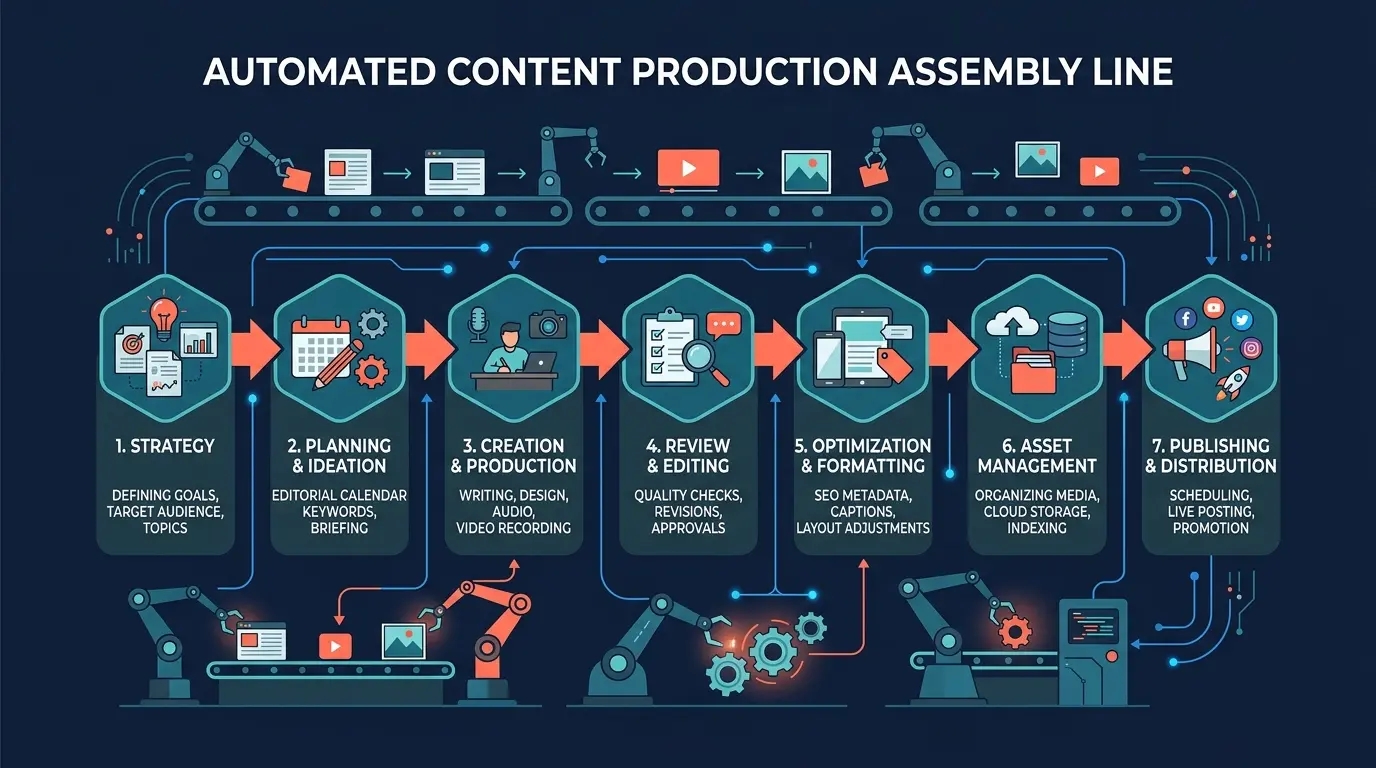
Most content teams still run their blog workflows manually. A writer researches keywords in one tool, drafts in Google Docs, passes the draft to an editor over email, checks SEO in yet another dashboard, and publishes through the CMS. Every handoff introduces delays, version conflicts, and lost context. The process works, but it does not scale.
A terminal-based AI content pipeline eliminates the handoffs. Claude Blog chains 7 specialized commands together so that content flows from strategy to published post in a single session. Every step runs in the same environment, on the same machine, with zero context switching. This guide walks you through building that pipeline from scratch.
What is an AI content pipeline?
An AI content pipeline is a repeatable sequence of steps that takes a topic from idea to published article using AI-assisted tools. Instead of treating each blog post as a one-off project, the pipeline standardizes every phase: planning, briefing, outlining, writing, scoring, optimizing, and distributing.
The benefits are significant:
- Consistency - Every post follows the same quality standards and SEO requirements
- Speed - A 2,000-word post moves from idea to publish-ready in under 15 minutes
- Scalability - The same pipeline handles 1 post per week or 10 posts per day
- Quality control - Automated scoring catches issues before they reach your audience
- Reproducibility - Any team member can run the pipeline and get consistent results
Claude Blog provides 31 sub-skills that can chain together, with each command's output feeding naturally into the next step.
The 7-step pipeline
Here is the complete pipeline, from initial strategy to published content. Each step maps to one or more Claude Blog commands.
Step 1: Strategy (/blog strategy)
Every good pipeline starts with a plan. The /blog strategy command analyzes your niche, identifies topic clusters, and generates a content calendar aligned with your business goals.
/blog strategy "B2B SaaS marketing" --months 3
The strategy output includes topic clusters organized by search intent, suggested publishing frequency, and a prioritized list of articles ranked by keyword opportunity. This becomes your roadmap for the next quarter. Instead of guessing what to write about, you start with data-informed topic selection.
Run this step monthly or quarterly. It sets the direction for everything that follows.
Step 2: Content briefs (/blog brief)
Once you know what to write, the /blog brief command generates a detailed content brief for each article. The brief includes the target keyword, secondary keywords, search intent, target word count, competitor analysis, and content angle.
/blog brief "how to reduce SaaS churn with onboarding emails"
A good brief saves hours of revision later. It gives the writing step clear constraints and targets, so the AI agents know exactly what to produce. The brief also specifies which content template to use, what questions to answer, and what unique angle to take based on gaps in existing search results.
Step 3: Outlines (/blog outline)
The /blog outline command takes the brief and generates a SERP-informed heading structure. It analyzes the top-ranking pages for your target keyword and builds an outline that covers the topic comprehensively while identifying content gaps you can fill.
/blog outline "how to reduce SaaS churn with onboarding emails"
The outline includes H2 and H3 headings, estimated word counts per section, notes on what data or examples to include, and suggestions for internal linking opportunities. This structure becomes the skeleton that the writing agent fills in.
Step 4: Writing (/blog write)
This is where the 4-agent pipeline does its work. The /blog write command runs four specialized AI agents in sequence: Research Agent, Outline Agent, Writing Agent, and Optimization Agent.
/blog write "how to reduce SaaS churn with onboarding emails" --template how-to
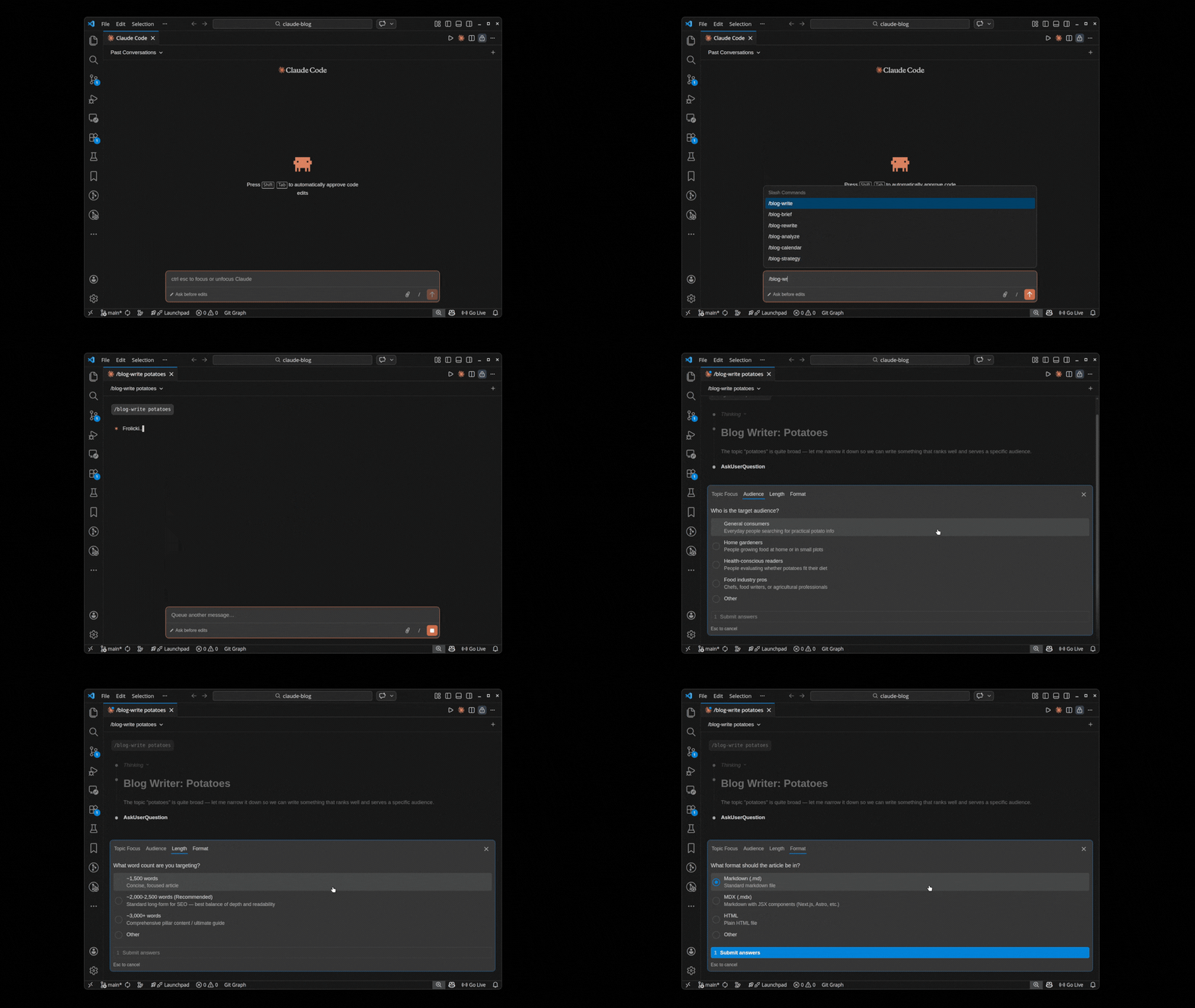
Each agent builds on the previous agent's output. The Research Agent gathers data and context. The Outline Agent structures the content. The Writing Agent generates the full article. The Optimization Agent refines it for SEO, readability, and E-E-A-T signals.
The writing step typically takes 2-4 minutes for a 2,000-word article. You can choose from 12 content templates or let the system auto-select the best template for your topic. The output is a complete article with title, meta description, headings, body text, and suggested internal links.
Step 5: Scoring (/blog analyze)
Before any post leaves the pipeline, it gets scored. The /blog analyze command evaluates content across 5 weighted categories:
| Category | Weight | What it measures |
|---|---|---|
| Content Quality | 30% | Depth, accuracy, readability, structure |
| SEO | 25% | Title tags, meta, headings, keywords, links |
| E-E-A-T | 15% | Experience, expertise, authoritativeness, trust |
| Technical | 15% | Schema, canonical, OG tags, sitemap inclusion |
| AI Citation | 15% | Citability, passage structure, GEO readiness |
/blog analyze path/to/your-post.md
Posts scoring 80 or above are considered publication-ready. Posts between 60 and 79 need targeted improvements. Posts below 60 may need a different approach entirely. The scoring output includes specific, actionable recommendations for each category.
This step is the quality gate. Nothing moves forward without passing the score threshold you set for your content standards.
Step 6: Optimization (/blog rewrite + /blog seo-check + /blog geo)
If a post does not hit your target score, three optimization commands help close the gap.
/blog rewrite takes the scoring feedback and rewrites specific sections to address weaknesses. It preserves what is working and focuses on the areas that scored lowest.
/blog rewrite path/to/your-post.md --focus seo,content
/blog seo-check runs a dedicated SEO audit on the post. It checks keyword placement, heading hierarchy, meta tag length, image alt text, internal link count, and other on-page SEO factors.
/blog seo-check path/to/your-post.md
/blog geo optimizes the content for AI citation. It analyzes passage-level citability, structural readability, and entity clarity across Google AI Overviews, ChatGPT, Perplexity, and Bing Copilot.
/blog geo path/to/your-post.md
After running these optimization passes, re-score with /blog analyze to verify improvements. Most posts reach 80+ after a single optimization cycle.
Step 7: Publishing (/blog schema + /blog repurpose)
The final step prepares your content for distribution. /blog schema generates JSON-LD structured data for your post, including BlogPosting, FAQPage, BreadcrumbList, and Person schema.
/blog schema path/to/your-post.md
/blog repurpose transforms your blog post into content for other platforms: social media threads, email newsletters, LinkedIn articles, and short-form summaries.
/blog repurpose path/to/your-post.md --platforms twitter,linkedin,email
With schema markup added and distribution content ready, your post is fully prepared for publishing. Paste the HTML into your CMS, add the schema to your page head, and schedule the repurposed content across your channels.
Example workflow
Here is what building a single post looks like from start to finish. This example creates a how-to guide about email onboarding sequences.
# Step 1: Generate a brief
/blog brief "how to reduce SaaS churn with onboarding emails"

# Step 2: Create a SERP-informed outline
/blog outline "how to reduce SaaS churn with onboarding emails"

# Step 3: Write the post with the how-to template
/blog write "how to reduce SaaS churn with onboarding emails" --template how-to

# Step 4: Score the output
/blog analyze output/how-to-reduce-saas-churn.md

# Step 5: Optimize if needed
/blog rewrite output/how-to-reduce-saas-churn.md --focus seo
/blog seo-check output/how-to-reduce-saas-churn.md
/blog geo output/how-to-reduce-saas-churn.md

# Step 6: Re-score to verify
/blog analyze output/how-to-reduce-saas-churn.md

# Step 7: Generate schema and distribution content
/blog schema output/how-to-reduce-saas-churn.md
/blog repurpose output/how-to-reduce-saas-churn.md --platforms twitter,linkedin,email
Total time for this workflow: roughly 10-15 minutes, including review. The strategy step is not included here because it runs monthly, not per-post.
Notice how each command feeds into the next. The brief informs the outline. The outline guides the writing. The writing output gets scored. The score drives optimization. The optimized post gets structured data and distribution content. Every step has a clear input and output.
Scaling to multiple posts
The real power of a pipeline shows up when you scale. Instead of running the workflow manually for each post, you can batch operations across multiple topics.
A typical weekly workflow for a team publishing 5 posts per week looks like this:
- Monday - Run
/blog briefand/blog outlinefor all 5 topics from the content calendar - Tuesday-Wednesday - Run
/blog writefor each topic, then/blog analyzeto score them - Thursday - Run optimization commands on posts that scored below 80, then re-score
- Friday - Run
/blog schemaand/blog repurposefor all approved posts, then publish
This schedule produces 5 fully optimized, schema-marked, distribution-ready blog posts per week. A single person can manage this workflow. With a content team, you can parallelize writing and optimization across multiple people.
The key to scaling is the strategy step. When /blog strategy gives you a 3-month content calendar, you never run out of topics. Every Monday, you pull the next 5 topics from the calendar and feed them into the pipeline.
Integration with Claude SEO
Claude Blog handles content creation. Claude SEO handles site-wide technical SEO. Together, they form a complete content and SEO pipeline.
Here is how they work together:
- Content gaps - Run
/seo auditto find pages with thin content or missing topics, then use/blog writeto fill those gaps - Schema validation - After
/blog schemagenerates structured data,/seo auditcan verify it is correctly implemented on the live page - Internal linking - Claude SEO identifies orphan pages and link opportunities, while Claude Blog's writing agent automatically suggests relevant internal links
- Performance tracking - Use
/seo auditperiodically to measure how your new content is affecting site-wide SEO metrics
Both tools are free, open-source, and MIT licensed. You can learn more about getting started with Claude Blog or explore the full writing skill documentation.