Ahrefs costs $99 to $999 per month. Semrush starts at $130. Moz Pro at $99. These tools are excellent, but most of the data they surface comes from the same source: Google. And Google gives that data away for free through its APIs.
Claude Blog v1.6.5 adds a new /blog google sub-skill that connects directly to 8 Google APIs. You get Core Web Vitals history, Search Console analytics, PageSpeed audits, URL indexation checks, YouTube video search, NLP entity analysis, GA4 traffic data, and keyword ideas. All from your terminal, at roughly $0.0006 per query. This guide shows you how to set it up and what data you can access at each tier.
Key Takeaways
- Google's free APIs provide Core Web Vitals, Search Console, PageSpeed, and indexation data at $0.0006/query
- Tier 0 (API key only) unlocks 4 commands in 5 minutes with zero cost
- YouTube mentions have a 0.737 correlation with AI visibility, the strongest signal measured (Ahrefs, 75K brands)
- Claude Blog v1.6.5 also adds blog-notebooklm, blog-audio, and plugin compliance updates
- Shared config file works across both Claude Blog and Claude SEO
What Google SEO data can you access for free?
Claude Blog organizes Google API access into four credential tiers. Each tier unlocks more data as you add credentials. Tier 0 requires nothing more than a free API key from Google Cloud Console.
| Tier | Credentials | APIs Available | Setup Time |
|---|---|---|---|
| 0 | API key (free) | PageSpeed Insights, CrUX Core Web Vitals, YouTube Data, NLP Entity Analysis | 5 min |
| 1 | OAuth or Service Account | + Search Console, URL Inspection, Indexing API | 10 min |
| 2 | + GA4 Property ID | + GA4 Organic Traffic Reports | 5 min |
| 3 | + Ads Developer Token | + Google Ads Keyword Planner | Varies |
Most bloggers and content teams will get everything they need from Tier 0 and Tier 1. That covers performance monitoring, indexation tracking, and search analytics, all without spending a dollar on subscriptions.
The real cost of SEO data
The pricing gap between subscription tools and direct API access is significant. Here is what the same data costs across different providers, calculated annually.
Google's APIs serve the same underlying data that powers these subscription dashboards. PageSpeed Insights runs the same Lighthouse audit. CrUX provides the same Chrome User Experience Report field data. Search Console is Search Console. The difference is that you are accessing it directly instead of through a third-party interface.
To be clear, Ahrefs and Semrush offer features that Google APIs do not, like backlink analysis, competitive keyword research, and site crawling. If you need those features, a subscription makes sense. But for Core Web Vitals, search performance, indexation, and content optimization, the APIs give you everything you need.
Setting up Google API access
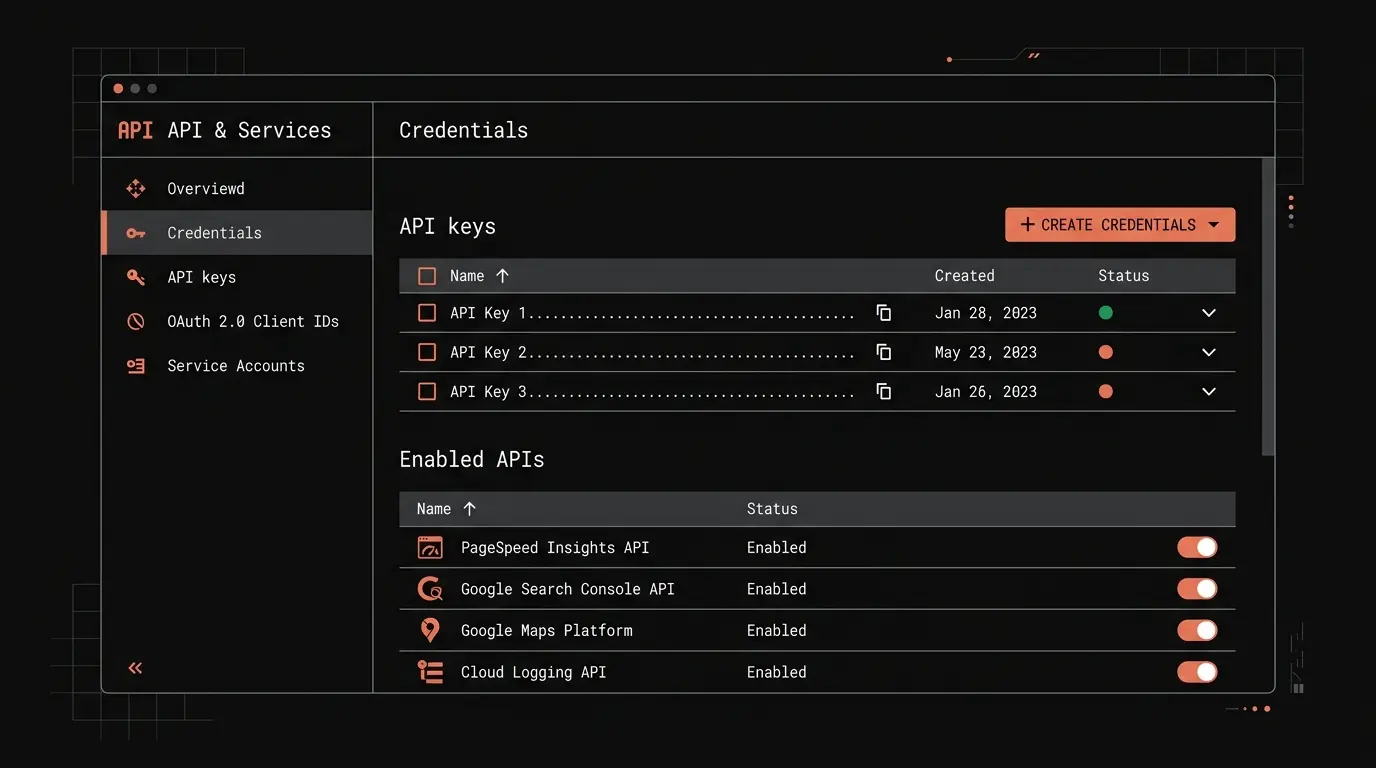
Tier 0: Free API key (5 minutes)
Create a project in the Google Cloud Console, enable the APIs you need, and generate an API key. The APIs to enable are PageSpeed Insights API v5, Chrome UX Report API, YouTube Data API v3, and Cloud Natural Language API. Then add the key to Claude Blog's shared config file.
# Add your API key to the shared config
echo '{"api_key": "YOUR_API_KEY"}' > ~/.config/claude-seo/google-api.json

# Test with a PageSpeed audit
/blog google pagespeed https://your-site.com
With just an API key, you unlock four powerful commands:
- /blog google pagespeed - Full Lighthouse audit with performance, accessibility, best practices, and SEO scores plus CrUX field data
- /blog google crux-history - 25 weeks of Core Web Vitals trends (LCP, INP, CLS) from real Chrome users
- /blog google youtube - Search YouTube for relevant videos to embed in your blog posts
- /blog google nlp - Extract entities and sentiment from any URL or text for E-E-A-T optimization
Tier 1: OAuth or service account (10 minutes)
For Search Console API data, you need OAuth credentials or a service account. Create OAuth client credentials in Cloud Console, download the JSON file, and point Claude Blog to it.
# Set up OAuth credentials
/blog google setup

# Query Search Console performance
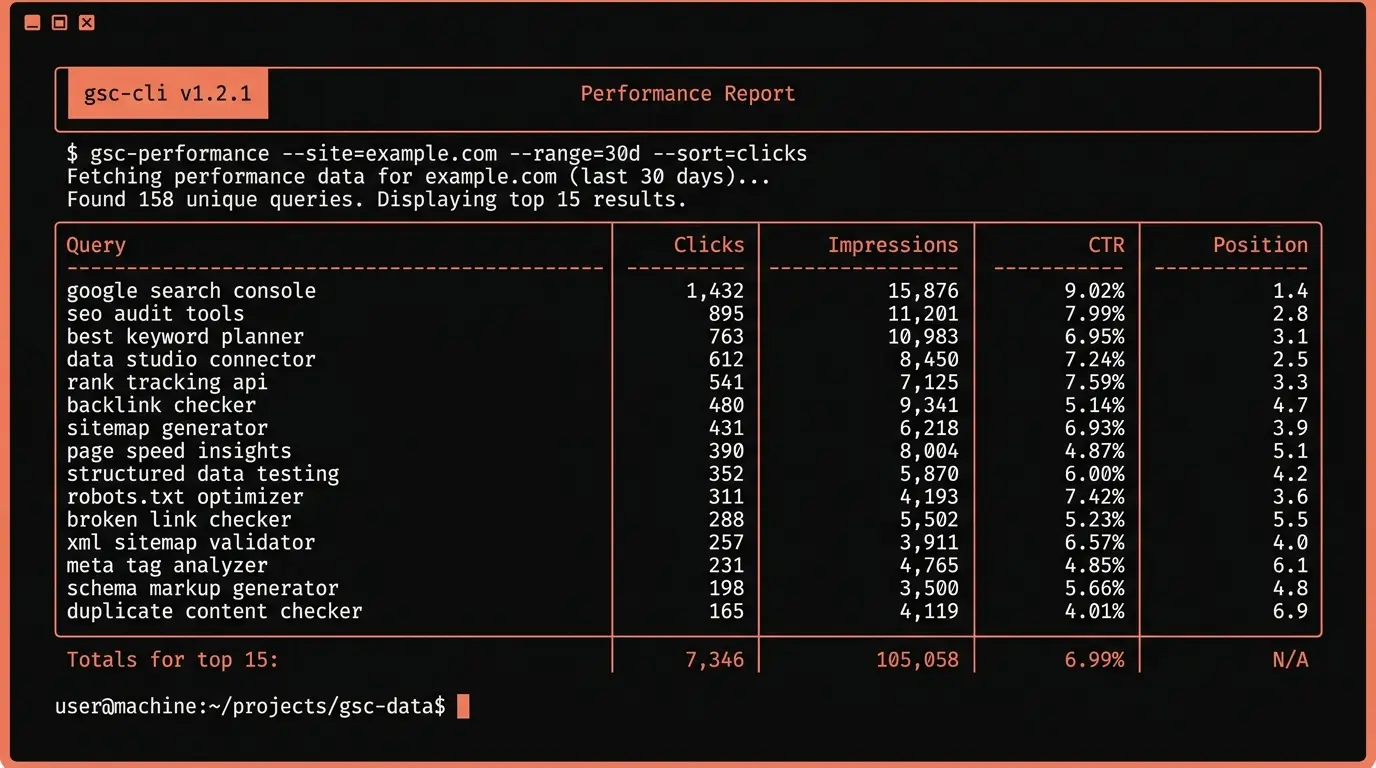
/blog google gsc sc-domain:your-site.com --days 28

# Check if a URL is indexed
/blog google inspect https://your-site.com/blog/your-post

# Notify Google of a new or updated URL
/blog google index https://your-site.com/blog/new-post
Tier 1 adds the most operationally useful commands. Search Console analytics show you which queries bring traffic, what positions you rank for, and where click-through rates can improve. URL Inspection tells you if Google has indexed your page, what canonical it selected, and whether there are mobile usability issues. The Indexing API lets you notify Google immediately when you publish or update content.
Tier 2 and 3: GA4 and Google Ads
Tier 2 adds GA4 Data API organic traffic reports by connecting your Analytics property. Tier 3 unlocks the Google Ads Keyword Planner API for seed keyword ideas and search volume data. Both are optional and designed for teams that already use these Google products.
Core Web Vitals monitoring from your terminal
One of the most valuable Tier 0 commands is /blog google crux-history, which pulls 25 weeks of Chrome User Experience Report (CrUX) data for any URL or origin. This is the same field data that Google uses for its Core Web Vitals ranking signal.
The CrUX history command gives you 25 weekly data points for each metric. This is the same data you would see in the Chrome UX Report dashboard or the "Core Web Vitals" section of Search Console, but accessible directly from your terminal.
# Check 25-week CWV trends for your domain
/blog google crux-history https://your-site.com

# Check a specific page
/blog google crux-history https://your-site.com/blog/important-post
This integrates with Claude Blog's existing /blog seo-check command. After publishing a post, you can run a PageSpeed audit on the live URL to verify that your content meets Google's performance thresholds. The data flows back into the SEO checklist workflow automatically.
YouTube embeds and AI visibility
Claude Blog v1.6.5 also adds automatic YouTube video embedding to the writing workflow. This is not just a convenience feature. YouTube presence is now the strongest measurable signal for AI visibility.
An Ahrefs study of 75,000 brands found that YouTube mentions have a 0.737 correlation with AI visibility, the strongest single signal measured across ChatGPT, Google AI Mode, and AI Overviews. This outperforms branded web mentions (0.664), Reddit presence (0.518), and every other factor tested.
Separately, BrightEdge research found that YouTube is cited 200 times more than any other video platform by AI search engines. In February 2025, YouTube citations in AI Overviews increased by 25%, with technical tutorial videos seeing a 40% jump.
Claude Blog's /blog write command now automatically discovers and embeds 2-3 relevant YouTube videos during content generation. The embeds use srcdoc lazy loading, which loads a thumbnail and play button instead of the full YouTube iframe. This reduces embed size from roughly 500KB to about 5KB per video, avoiding performance penalties.
For AI crawlers like GPTBot, ClaudeBot, and PerplexityBot that do not execute JavaScript, each embed includes a noscript fallback with the video title, channel name, and description. This ensures the video context is visible to AI systems even without iframe rendering. The writing workflow also generates VideoObject JSON-LD schema for each embedded video, giving search engines structured data about your video content.
This feature ties directly into the dual optimization strategy, where content is optimized for both Google rankings and AI citation platforms simultaneously.
What else is new in v1.6.5
The Google API integration is the headline feature, but v1.6.5 also includes changes from the v1.6.0 release cycle that are worth noting.
- blog-notebooklm - A new sub-skill that queries Google NotebookLM for source-grounded research. Upload documents to NotebookLM and Claude Blog can pull citation-backed answers during the research phase. This adds a Tier 1 source quality guarantee to your content.
- blog-audio - Gemini TTS audio narration with 30 voices and 3 modes (summary, full article, two-speaker dialogue). Generates MP3 audio with HTML5 embed code for adding audio versions of your blog posts.
- Plugin compliance - All 22 SKILL.md frontmatters were cleaned to pass Claude Code's plugin spec validation. Non-standard fields were removed. 44 tests pass across the full test suite.
At the v1.6.5 release, Claude Blog included the Google API workflow documented in this guide. The historical v1.6.5 release notes remain on GitHub; the current product is v2.2.0.
Getting started
Install Claude Blog, add your Google API key, and run your first command in under 10 minutes.
# 1. Clone and install
git clone --depth 1 https://github.com/AgriciDaniel/claude-blog.git && bash claude-blog/install.sh

# 2. Add your Google API key
mkdir -p ~/.config/claude-seo
echo '{"api_key": "YOUR_GOOGLE_API_KEY"}' > ~/.config/claude-seo/google-api.json

# 3. Run your first PageSpeed audit
/blog google pagespeed https://your-site.com

# 4. Check Core Web Vitals history
/blog google crux-history https://your-site.com
For a complete walkthrough of the writing workflow, see How to Write SEO Blog Posts with AI. For the full list of available commands and sub-skills, visit the blog-write skill page.